



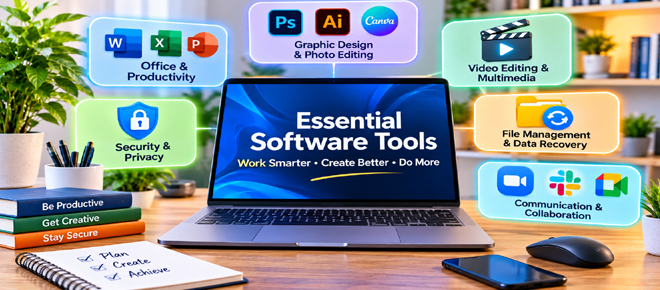
Software has become an essential part of modern life, helping people complete tasks more efficiently, organize information and explore their creativity. Whether you work from home, run a business, study or manage personal projects, the right software tools can make everyday activities easier and more productive.
From office applications and graphic design programs to security utilities and file management tools, there are many software solutions designed for different needs. Choosing suitable applications can save time, improve organization and simplify complicated tasks.
Here are some essential types of software tools worth considering for productivity, creativity and everyday use.
Office software helps users create documents, manage information and complete professional tasks. These applications are useful for students, employees, freelancers and business owners.
Popular productivity tools include:
Microsoft Office: Provides applications such as Word, Excel and PowerPoint for documents, spreadsheets and presentations.
Google Workspace: Offers online tools such as Google Docs, Sheets and Slides for creating and collaborating on files.
LibreOffice: A free office suite that provides alternatives for common document and spreadsheet tasks.
These tools can make everyday work easier by helping users organize information, prepare reports and collaborate with others.
Creative software allows users to design visual content, edit photographs and produce professional-looking graphics.
Some popular options include:
Adobe Photoshop: Used for advanced photo editing, image manipulation and digital artwork.
Canva: Offers easy-to-use design tools and templates for social media graphics, presentations and marketing materials.
GIMP: A free image editing application suitable for photo manipulation and graphic design.
Adobe Illustrator: Designed for vector graphics, logos, illustrations and professional design projects.
Whether you create content for personal projects or business promotion, selecting suitable design software can help improve the quality of your work.
Video content is widely used for entertainment, education, marketing and social media. Video editing software makes it possible to combine clips, add effects, improve audio and create engaging presentations.
Some useful video editing applications include:
Adobe Premiere Pro: A professional video editing solution with advanced editing features.
DaVinci Resolve: Offers video editing, color correction and audio production capabilities.
CapCut: Provides accessible editing tools for creating short-form videos and social media content.
Filmora: Offers beginner-friendly editing features for everyday video projects.
The best option depends on your experience, computer specifications and the type of videos you want to create.
Protecting personal information and digital devices is an important part of everyday computer use. Security software helps users reduce online risks and maintain better control over their data.
Common security and privacy tools include:
Antivirus software: Helps detect and protect against malicious programs.
VPN applications: Encrypt internet traffic between your device and the VPN server, helping protect connections and improve privacy on supported networks.
Password managers: Store and organize login credentials securely.
Private browsers: Offer additional privacy-related features and controls for everyday browsing.
When choosing security software, consider its reliability, update frequency, privacy policy and compatibility with your devices.
Managing digital files can become difficult when documents, photographs and other important information are spread across different folders and storage devices.
File management software helps users organize, search and access their data more efficiently.
Data recovery applications can also be useful when files are accidentally deleted or become inaccessible. Some tools support recovery from computer drives, external storage devices and memory cards.
Before using recovery software, avoid writing new data to the affected storage device, as this may reduce the chances of successful recovery.
Communication tools make it easier to stay connected with colleagues, clients, friends and family.
Applications such as Microsoft Teams, Zoom, Slack and Google Meet offer features for messaging, video meetings, file sharing and team collaboration.
These tools are particularly useful for remote workers, freelancers and businesses that need to coordinate projects across different locations.
Choosing applications that match your team's communication requirements can improve coordination and reduce unnecessary delays.
With so many applications available, selecting the right software requires some research. Consider these factors before installing or purchasing a program:
Your requirements: Choose software that addresses your actual needs.
Ease of use: Look for applications with intuitive interfaces and useful features.
Compatibility: Check operating system requirements and device specifications.
Pricing: Compare free versions, subscription plans and lifetime license options.
Security: Download software from official websites and trusted sources.
Updates and support: Consider whether the developer provides regular updates and customer assistance.
It is also worth exploring free trials and introductory offers before committing to a paid subscription.
The right software tools can make everyday tasks easier, whether you are preparing documents, editing photographs, managing projects or protecting your digital information.
From productivity applications and creative programs to security utilities and communication platforms, there are solutions available for almost every requirement.
Rather than installing too many applications, focus on software that provides genuine value and supports your daily activities. Compare features, check compatibility and explore available discounts to find reliable tools that fit your needs and budget.
Comments